

New Saved-question folders and in-subject concept search

The IB syllabus, one session at a time.

Tell Syllabo how many minutes you have. It builds a session from your weakest syllabus points, your open mistakes and the topics due for review, marks what you write, and moves on.

iPhone, iPad and Mac. Free. No ads, no tracking, your data stays on your device.

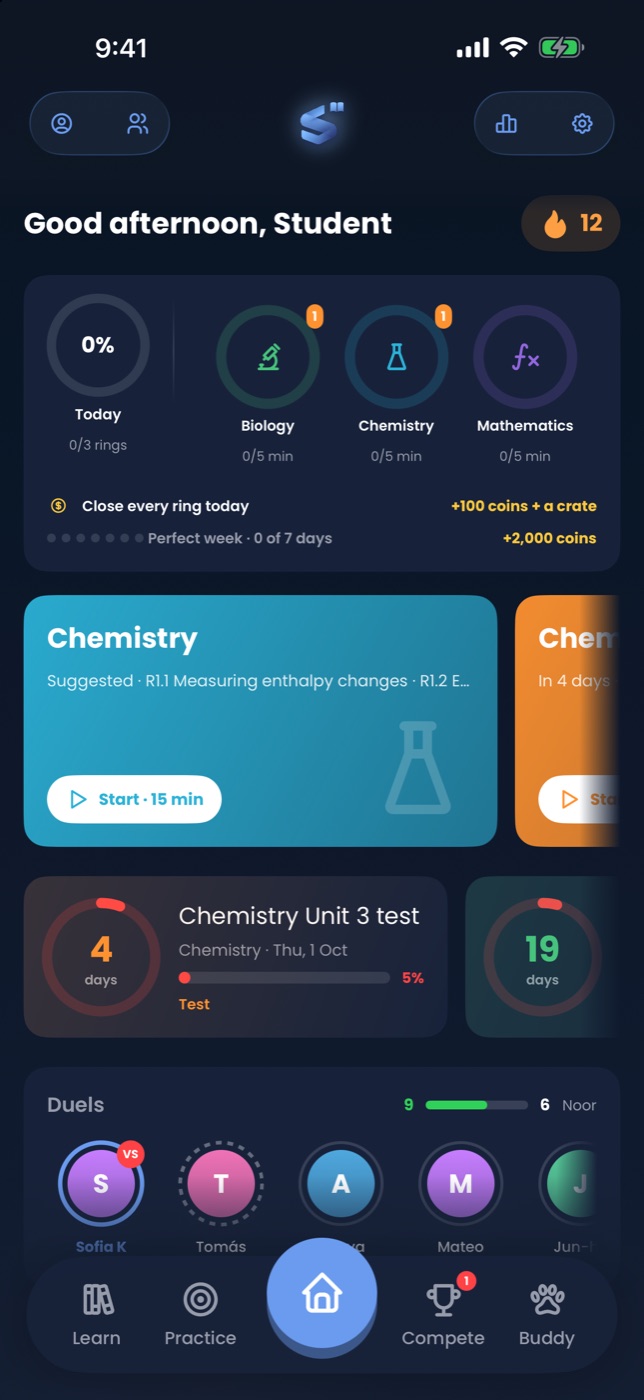
Syllabo home screen showing streak, exam countdown and a recommended session

Every IB Diploma subject offered at UWCSEA East, HL and SL

BiologyChemistryPhysicsMaths AAMaths AIEconomicsBusinessGeographyHistoryPsychologyGlobal PoliticsESSComputer ScienceEnglish AChinese AChinese BFrench BSpanish Bab initioVisual ArtsTheatreMusicFilm+ more

Built around the syllabus, not around trivia.

Every question, flashcard and lesson is tagged to an official syllabus point, so the app always knows what you have covered, what you keep getting wrong and what your next test is on.

Practice

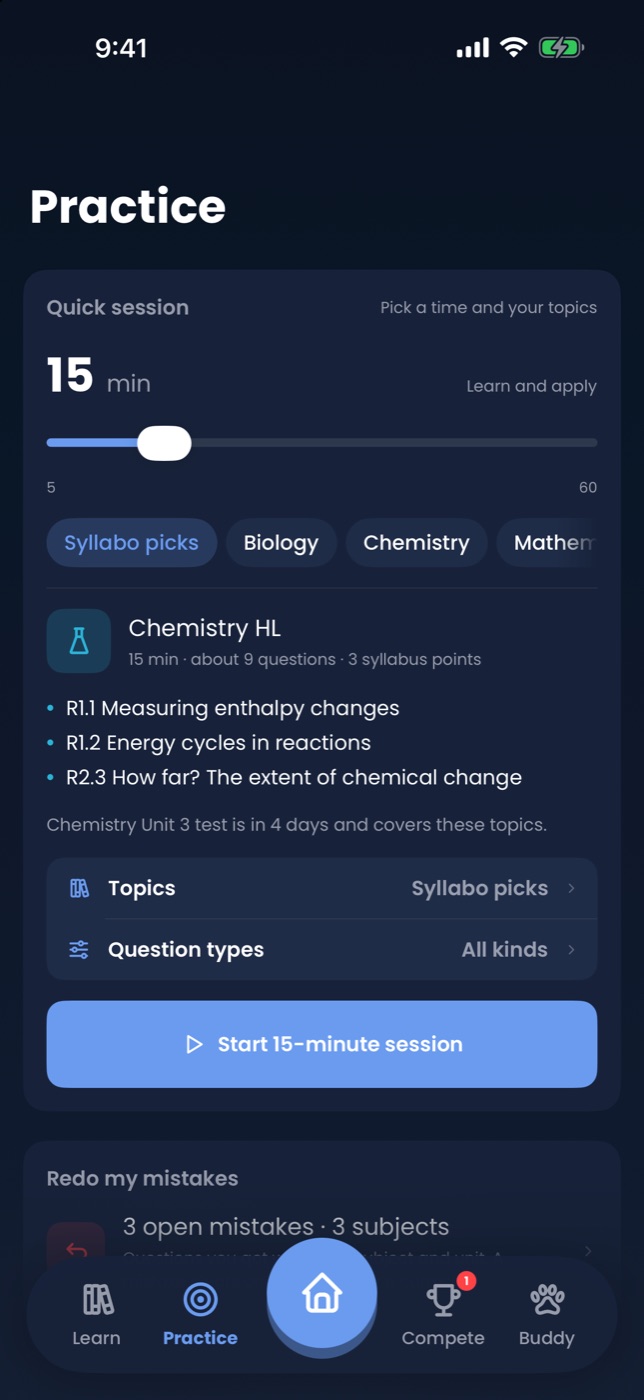
Pick the minutes. The session picks itself.

Slide from 5 to 60 minutes. Syllabo sequences a warm-up, a lesson card, recall, application and an exam-format question, weighted towards what is weak and what is tested soon. Flashcards, MCQ, written questions, concept review, exam practice, or teach your buddy.

Practice tab with duration slider and practice modes
Learn

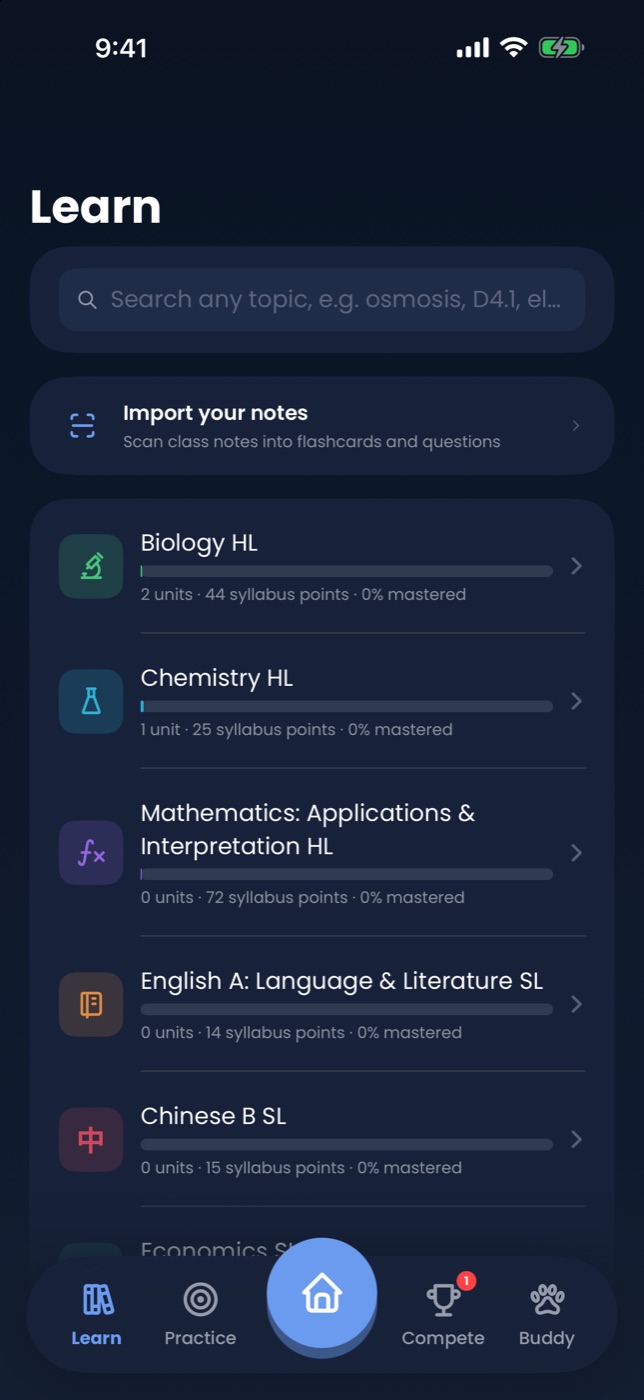
Search a concept, do questions on it.

Inside any subject, type "enthalpy" or "3.1" and go straight to the lesson, questions, MCQ or cards for that exact point.

Learn tab with subjects and mastery
Marking

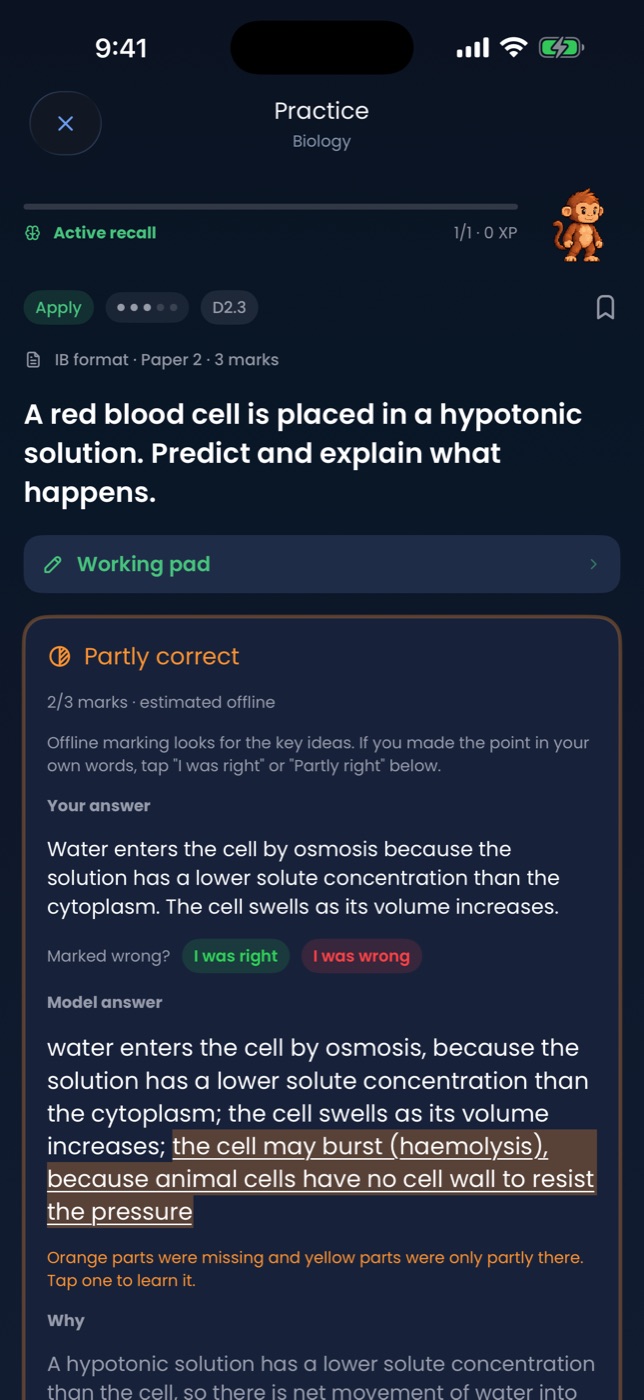
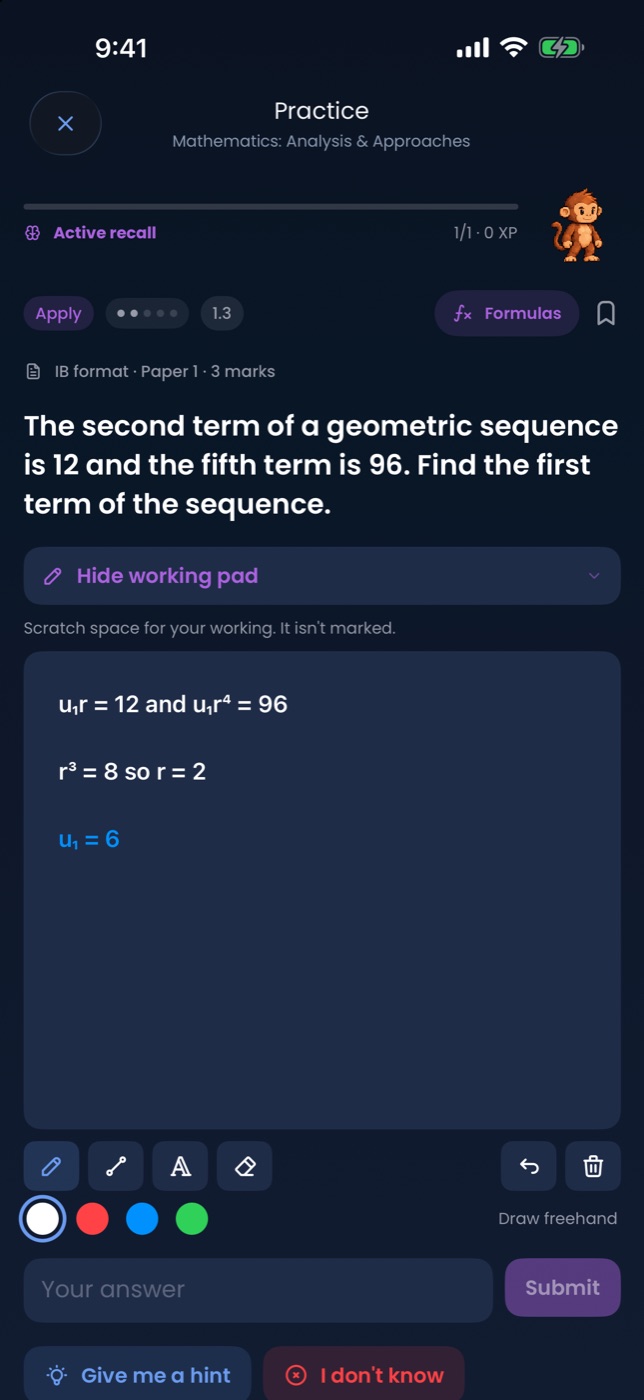
Exam-format questions, marked against a mark scheme.

Paper 1, Paper 2 and essay-plan questions with command terms and mark allocations. Write your answer, see the marks you earned point by point, then ask the tutor what you missed. Bookmark any question into folders you name.

Tutor

A tutor that already knows where you are.

Explain this, quiz me, mark this. It sees your subject, syllabus point, mastery and mistakes. Works offline; connect Claude or Gemini for full conversation.

Tutor tab
Buddy

A streak with a face.

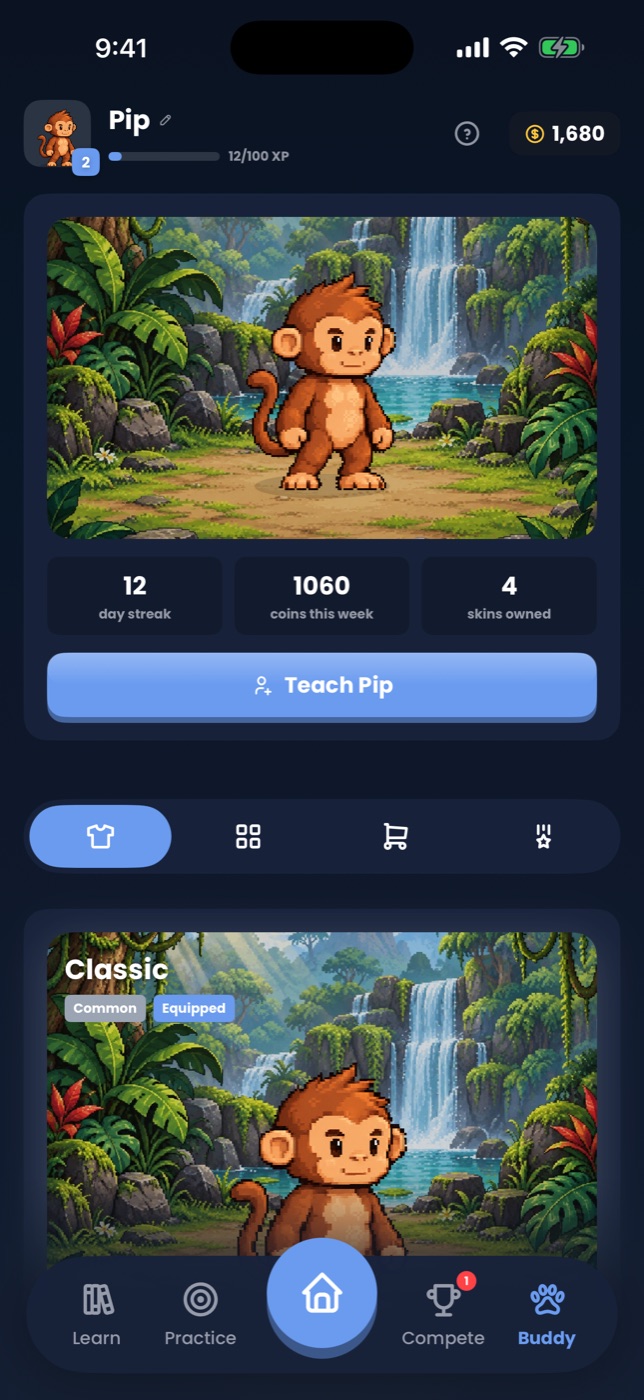
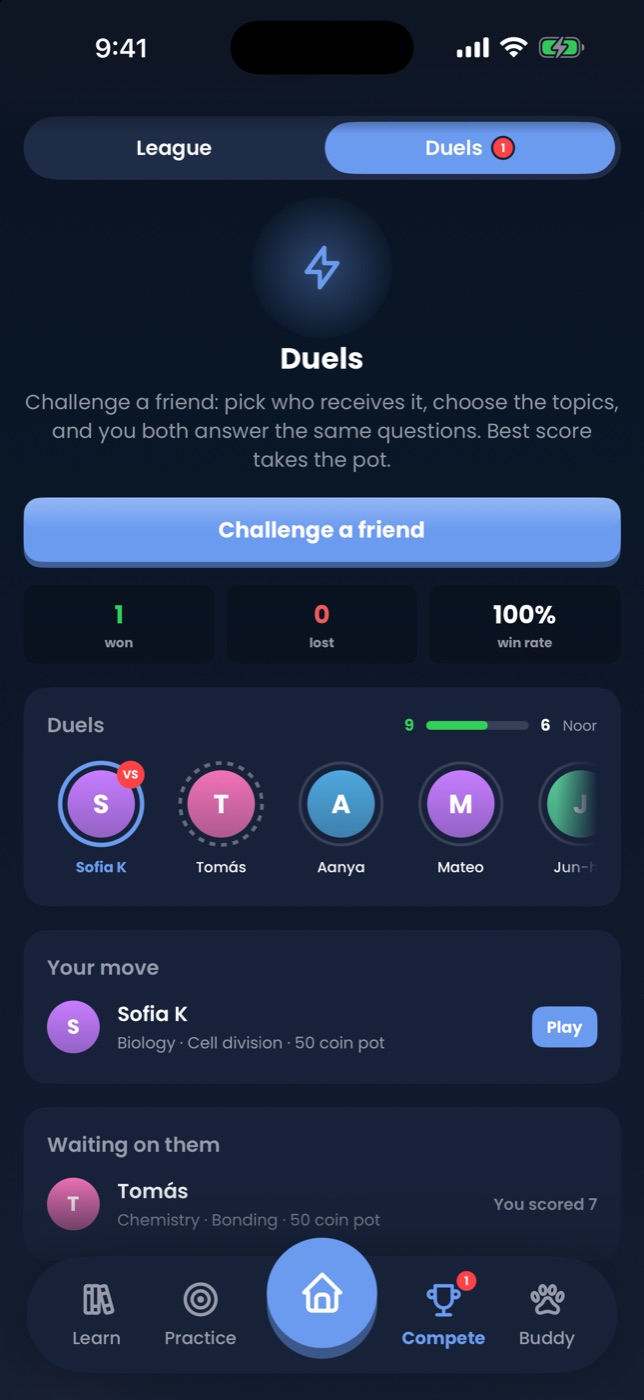
Answer questions, earn coins, hatch and dress a buddy that grows with your streak. Weekly leaderboard with friends, medals for the milestones.

Buddy wardrobe

How it works

Set up once. From then on the app decides what to show you, and you decide how long.

01

Choose your subjects and levels

Pick your six from the full UWCSEA East list. Add your school's units and your upcoming tests with the topics they cover.

02

Open the app whenever you have a gap

In a taxi, before dinner, between lessons. Slide to the time you have and start. Or search a concept and drill just that.

03

Let mastery and mistakes steer

Every answer updates a spaced-repetition score per syllabus point. Mistakes stay open until you resolve them. Exams pull their topics forward.

Everything in the box

Quick sessions5 to 60 minutes, planned from weak spots, open mistakes and due reviews.
Six practice modesFlashcards, MCQ, questions only, concept review, exam practice, teach the buddy.
Only upcoming test topicsAny question mode can be scoped to what your next test covers.
Concept searchFind a lesson inside a subject by title, code, key term or objective.
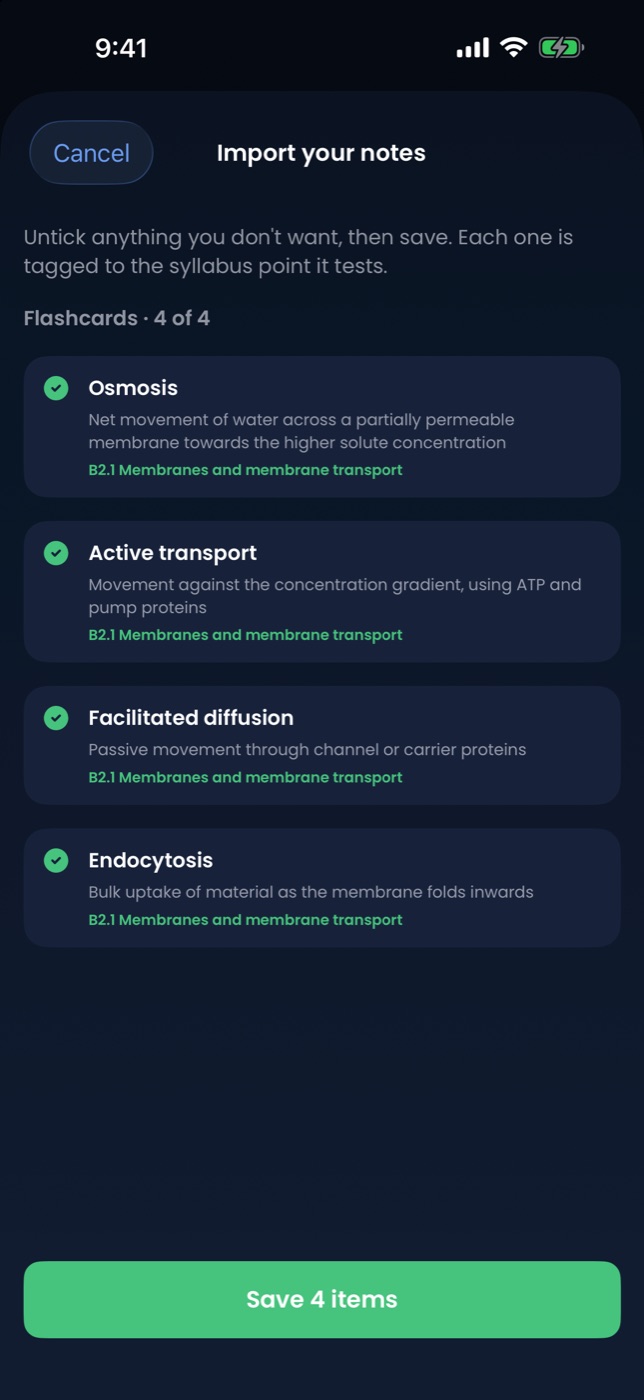
Saved-question foldersBookmark while practising, sort by marks, type or topic, replay a folder as a session.
Past-paper libraryExam-format questions with paper, marks and source. Import your school's licensed papers with one script.
MarkingOffline mark-scheme marking, plus examiner-style feedback with an AI key.
Essay workshopOn iPad and Mac: plan, write and get marked against subject rubrics.
Exam countdownTests with their topics; the app prompts you to revise the least practised one.
Teach the buddyExplain a concept out loud; the learner persona asks the questions a confused student would.
Friends and leaderboardAdd by username. Hide activity, mastery or streak whenever you like.
Five themes, five typefacesMidnight, Paper, Neon Lab, Pastel Focus, Slate Pro. Text size is yours too.
Glossary of 1,000+ termsReal definitions behind every recall question.
iPhone, iPad, MacOne app, sidebar layout on wide screens.

Pricing

Syllabo is free. The optional AI tutor runs on your own API key, so you pay the provider directly and only for what you use.

AI tutor (bring your own key)

Pay as you go to Anthropic or Google
  • Streaming conversation with Claude or Gemini, aware of your syllabus point, mastery and mistakes
  • Examiner-style feedback on written answers and essays
  • Paste a key once in Settings; it lives in the iOS Keychain
  • Typical use costs cents per day

Questions

Are these real IB past papers?

The app ships original questions written in IB paper format with mark schemes. Real papers are IBO copyright, so they are not bundled. If your school gives you access to past papers, the included import tool converts a paper plus mark scheme into the app in one command, and they appear with their session, paper and question reference.

Does it work without an internet connection?

Yes. Everything except the AI tutor is on your device. The offline tutor still explains, quizzes and sets questions.

Where is my data stored?

On your device only. There are no Syllabo servers. Accounts, mastery, mistakes, notes, friends and settings are all local, and deleting the app deletes them.

Which subjects are covered in depth?

Every UWCSEA East subject is selectable with its official topic outline. Biology, Chemistry, Maths AI, Economics, English A Language and Literature and Chinese B have detailed syllabus points, questions and glossaries; more are being added.

Is it affiliated with the IB?

No. "International Baccalaureate" and "IB" are trademarks of the International Baccalaureate Organization, which does not endorse this app.

Study the syllabus, not the panic.

Syllabo is coming to the App Store for iPhone, iPad and Mac. Until then, email to join the TestFlight.

Request TestFlight access